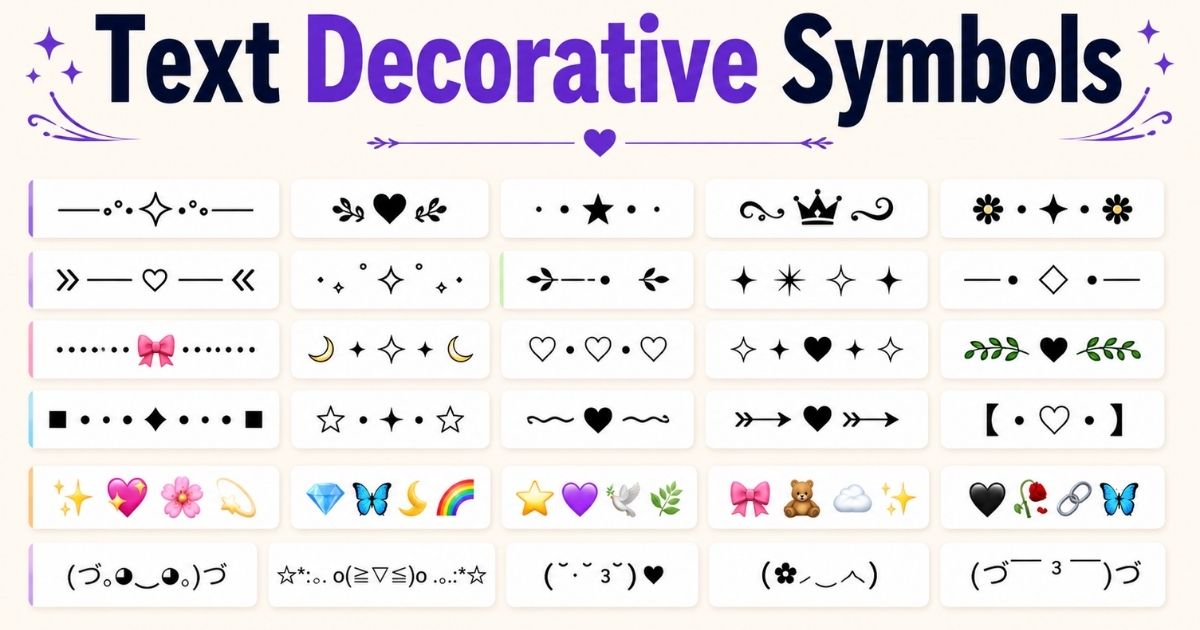

Decorative symbols are small text characters used to style bios, captions, usernames, and posts. They work on every platform because they are plain Unicode text, not images.
People use them to make profiles look neat, aesthetic, and personal. A single symbol can turn a plain sentence into something that stands out on a crowded feed.
This guide lists ready to use decorative symbols by category. Every symbol here can be copied with one tap and pasted directly into any app, bio, or chat box.
3 quick facts before you start:
- These symbols are Unicode characters, so they show up on iOS, Android, and desktop alike.
- They do not need any app, font download, or special keyboard.
- Some very new or rare symbols may not render on older devices.
Decorative Symbols Dot Art Copy and Paste
Dot art uses small circular and star shaped Unicode marks to build minimal, aesthetic line breaks or accents. It is popular for soft, quiet profile styles.
Here is a ready to copy dot art set:
| Symbol | Name | Common Use |
| ⋆ | Small star | Bio accent |
| ˚ | Ring dot | Spacer |
| ・ | Katakana dot | Divider |
| ⚬ | Small circle | Bullet style |
| ⊹ | Four point star | Highlight |
| ⁘ | Four dot mark | Section break |
| ⋅ | Dot operator | Minimal spacer |
| 。 | Small full stop | Cute ending mark |
A typical dot art line looks like this: ˚ ✦ ⋆。˚ ✦ ⋆ ˚. It is short, easy to read, and works well between two sentences in a bio.
Dot art pairs well with soft pastel themes, journaling style captions, and minimalist Instagram grids.
You can also explore: Purple Heart Emoji & Symbol
Popular Decorative Symbol Categories
Decorative symbols fall into a few clear categories. Knowing the category helps pick the right symbol for the right mood instead of guessing.
Below are the five most searched and most used categories.
Bio Decorations & Accents
Bio accents are short symbols placed at the start or end of a bio line to add personality without adding extra words.
Common bio accent symbols:
- ᰔ
- ✿
- ੈ✩‧₊˚
- 𓂃🖊
- ☾
These work best right after a name or short tagline, since they draw the eye without cluttering the sentence.
Fancy Lines & Border Dividers
Border dividers separate sections of a bio, such as name, pronouns, and links, into clean blocks.
A few reliable dividers:
- ⊹ ࣪ ˖
- ˚ ༘ ⋆
- ⌇⌇⌇⌇⌇⌇⌇
- 𓆩♡𓆪
- ✧・゚: ✧・゚:
Dividers should be used sparingly. One or two lines per bio keep it readable, while more than that starts to look busy.
Kawaii & Aesthetic Emoticons
Kawaii emoticons are text based faces built from symbols. They give warmth and personality to a message without using emoji.
Popular kawaii emoticons:
- (。•́︿•̀。)
- (◕‿◕✿)
- ヽ(≧◡≦)ノ
- (。♥‿♥。)
- ( ˘ᵕ˘ )
These are widely used in comments, captions, and chat replies where a small expressive touch fits better than a full sentence.
Modern Ornaments
Modern ornaments are slightly bolder symbols used for a sleek, current look rather than a soft or cute one.
Common modern ornament symbols:
- ➤
- ✦
- ❖
- ⟡
- ▚
These suit business style bios, portfolio links, and profiles that want a clean, modern edge instead of a playful one.
You can also explore: Green Heart Emojis & Symbols
Aesthetic Brackets & Frames
Brackets and frames wrap a name or word to make it stand out as a title or label.
Frequently used brackets:
- 『 』
- 【 】
- ⟦ ⟧
- ⌜ ⌝
- ⸂ ⸃
Frames work well around usernames, section headers inside a bio, or a single word someone wants to highlight, such as a title or role.
Best Aesthetic Text Decoration Combinations
Some symbol combinations have become recognizable styles on their own. Each one has a distinct mood and fits a specific type of profile.
🎀 Coquette & Soft Girl (Cutedecor)
This style leans on bows, hearts, and soft dots. It fits pink and pastel themed profiles.
Example combination: ⋆。𖦹°‧🎀 Name 🎀‧°𖦹。⋆
🎧 Lo-Fi & Chill
This style uses simple, low key symbols like headphones and waves to match relaxed, low saturation profiles.
Example combination: 𓊝 Name 𓊝 ‧₊˚
✨ Celestial
This style uses stars, moons, and sparkle marks for a night sky or dreamy theme.
Example combination: ⋆.˚✮🎧✮˚.⋆ Name ⋆.˚✮🎧✮˚.⋆
Clean Design
This style avoids clutter and uses only one or two symbols for a sharp, professional look.
Example combination: ✦ Name ✦
Name Decoration Ideas
Name decoration turns a plain username into something more memorable. The safest approach is to frame the name rather than change every letter.
Simple name decoration formats:
- 『 Name 』
- ✧ Name ✧
- ⋆。°✩ Name ✩°。⋆
- 𓆩 Name 𓆪
- ➤ Name
A short table of name styles by mood helps pick faster:
| Mood | Format | Example |
| Cute | ⋆。°✩ Name ✩°。⋆ | ⋆。°✩ Aria ✩°。⋆ |
| Bold | ➤ Name | ➤ Aria |
| Elegant | 『 Name 』 | 『 Aria 』 |
| Playful | (。•‿•。) Name | (。•‿•。) Aria |
Keep the decoration short. Long strings of symbols around a name often get cut off in app previews and notifications.
You can also explore: Ocean Symbols & Meanings
Creative Usage Examples of Decorative Symbols
Different platforms display Unicode symbols differently, and each one has its own space limits and reading habits. Here is how decorative symbols work across major platforms.
Instagram Bios & Captions
Instagram bios have a 150 character limit, so short accents and one divider line work better than long symbol chains.
- Use one bio accent near the name.
- Use one divider between bio lines.
- Keep captions to one or two symbols per sentence.
TikTok Captions & Reels Overlays
TikTok captions are read fast, often while scrolling, so symbols work best as short emphasis marks rather than full decorations.
- Place a star or arrow before a key phrase.
- Avoid symbol heavy openings, since they can get cut off in preview text.
Threads & Twitter / X Layouts
Both platforms are text heavy, so decorative symbols work best as light punctuation rather than full borders.
- A single ✦ or ➤ before a point adds emphasis without adding clutter.
- Avoid dense symbol art in threads, since it repeats across every reply.
Facebook Posts & Stories
Facebook audiences skew slightly older and more varied by device, so simple, widely supported symbols render more reliably than rare Unicode marks.
- Stick to common symbols like ✦, ➤, and basic dot art.
- Test a post privately first if using a newer or rarer symbol.
Roblox & Gaming About Section
Gaming profiles often use brackets and modern ornaments to signal a clan, team, or personal tag.
- Frame a username with brackets, such as 『 』 or 【 】.
- Add one modern ornament near a role or rank label.
Discord Server Welcome & Headers
Discord channel names and headers benefit from clean dividers to separate sections without using extra words.
- Use a border divider line under a welcome message.
- Use brackets around channel category names for a tidy sidebar.
Snapchat Stories & Snaps
Snapchat text overlays are viewed briefly, so bold, simple symbols read better than fine dot art.
- Use one clear ornament, such as ✦ or ❖, per overlay.
- Avoid tiny dot art, since it can be hard to read on smaller story text.
Frequently Asked Questions
Are decorative symbols safe to use on all social media apps?
Yes, most decorative symbols are standard Unicode text, so they display correctly on iOS, Android, and desktop apps.
Why do some symbols show up as a box or blank space?
This happens when a device’s font does not support that specific Unicode character, usually on older phones.
Can decorative symbols affect SEO or searchability of a username?
Search engines mostly ignore rare symbols, so a name built only from symbols may be harder to find in search.
Do decorative symbols work in email or messaging apps?
Yes, since they are plain text, they paste correctly into Gmail, WhatsApp, iMessage, and most chat apps.
Is it better to use many symbols or just one or two?
One or two well placed symbols usually look cleaner and read better than a long symbol heavy line.
Can I combine dot art with emoticons in one bio?
Yes, a short dot art divider paired with one kawaii emoticon is a common and readable combination.
Do decorative symbols cost anything to use?
No, all Unicode decorative symbols are free to copy, paste, and use anywhere.
Final Thoughts
Decorative symbols are a simple way to add personality to a bio, caption, or username without writing extra words. A small dot art line, one clean ornament, or a short bracket frame is usually enough to make a profile feel more finished.
The best results come from restraint. Pick one category, match it to the platform, and keep the final look easy to read on any screen size.

Hi, I’m Ethan Brooks, the admin of SymbolHubz.com. Passionate about symbols, emojis, kaomojis, and text art, helping users discover creative ways to express themselves online.